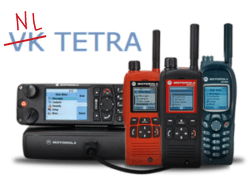
This page contains a list of some of the talkgroups available across the broader SVXLINK-based amateur tetra network.
The SDS number should be programmed in to your radio, and your svxlink.conf file to enable you to change talkgroups from the radio by sending an SDS message to your gateway.
Talkgroups
| SDS | Talkgroup Number | Talkgroup Name | Notes |
| 33391 | 91 | World Wide | World wide talkgroup |
| 33060 | 206 | Belgium | |
| 33080 | 208 | France | |
| 33140 | 214 | Spain | |
| 33260 | 226 | Romania | |
| 33350 | 235 | UK | |
| 33620 | 262 | Germany |
SDS Talkgroup Programming Guidance
For Sepura radios, add the SDS code and talkgroup name in Radio Manager under Profile > Profile Name > Menu > Status Message Configuration

For Motorola Radios (exluding your gateway, which does not require adding SDS commands), add the SDS code and talkgroup name in CPS under Data Services > Status id List

Then, in your svxlink.conf file (if you run a gateway), ensure you have a corresponding SDS code linked to a talkgroup number. You can use the below list to update your config:
[SdsToCommand]
33280=121
33281=120
61000=9*
33009=919
33391=9191
33040=91204
33080=91208
33260=91226
33320=91232
33620=91262
33350=91235
34003=912263
34006=912266
34007=912267
34009=912269
33140=91214