To build your own gateway, you’re going to need a few things. Here’s the bare minimum:
A Mobile Tetra Radio
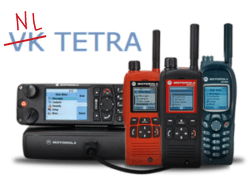
To start, you’re going to need a mobile Tetra radio. I highly advise either using a Motorola MTM800e, or MTM5400 (often known as an MTM800FuG in other parts of the world). Don’t try using an SRG3900 (It wont work), or a portable radio (it definitely wont work!).
The MTM800e puts out 3 watts of power, whereas the MTM5400 puts out 10 watts of power and has the added bonus of being able to be used as a Tetra DMO repeater.
Both radios are great gateway radios! the MTM800e is cheaper and easier to find on eBay.
A Portable Radio
Your gateway radio won’t have a MIC or Speaker plugged into it (as these interfere with the gateway operation), so you’ll need another radio to talk on Tetra.
This can either be a portable or mobile radio depending on your use case. I’ve written a guide on what radio’s I’d recommend here: Radio Buying Guide
A Raspberry Pi or A machine running Debian
I’d strongly recommend using at least a Pi 3B, with at least 2 USB ports, and ethernet connectivity. Wifi connectivity is ok, but Ethernet is always preferred.
I have also successfully built a working gateway using a Raspberry Pi Zero W.
If you’d prefer to run a VM instead, i’d strongly recommend Debian over Ubuntu or other distributions.
An FTDI 3.3volt RS232 to USB cable (with the RS232 end chopped off).
This will be used to connect the MTM800e to the Raspberry Pi.
You’ll need to solder on connectors onto the ends of these bare cables to slide onto the pins on the rear of the MTM800e. I’ve used these GPIO jumper cables with the pin end chopped off.
(Note: if you’re using an MTM5400, you’ll need the 5 volt version of this cable).
You may also need the FTDI driver installed on your machine. You can download that here: FTDI cable driver download
Signalink, R1 2020 or CM108
You need a way of getting audio in and out of your radio to the Raspberry Pi/Linux box.
Easiest difficulty/Most Expensive Option
Use a Signalink. You’ll need an ethernet cable with the plug removed from one end. You simply need 4 wires (speaker, mic, ground and PTT). These retail for aprox $180 AUD
Medium difficult/Medium costsoption
The next option is to use an R1 2020. This is a nicely built box in a blue metal case. You’ll find these on ebay for about $65 AUD. They come with 2 USB cables (you’ll only need 1), a 6 pin DIN cable, and either a 16 PIN or 24 PIN connector (be sure to ask the seller to send the 24 PIN connector!). The pins at the back of the Motorola wont line up with the connector pins, but I’ve included a pin-out of the connector below and advise you use GPIO jumper cables to map these across to the pins on the rear of the MTM800e.
Hardest difficulty/cheapest option
If you’re good with a soldering iron, you can use a CM108. These are really cheap ($10 AUD on ebay), but you need a steady hand, a thin-tipped soldering iron and some patience.
I haven’t included instructions here on how to modify a CM108, as I haven’t successfully managed to get one working.
Antenna, Power Supply
Obviously, you’ll need a suitable antenna and power supply for your radio. The MTM800e doesn’t draw a whole lot of power.
The antenna you pick is up to you. It’s unnecessary to use a high-gain antenna. The higher you can place it, the better!
Be sure to use super low-loss coax between the radio and antenna, and try to keep the coax as short as possible.
A copy of the Tetra Branch of SVXlink
You can download this for free from the projects GitHub page.